Services, prices and durations
Your catalog — what it drives, and why editing it never rewrites history.
Shop → Services is your catalog. Owners and managers can edit it.
Each service has a name, an optional short description, a price, a duration in minutes, and up to three photos.
What each field actually drives
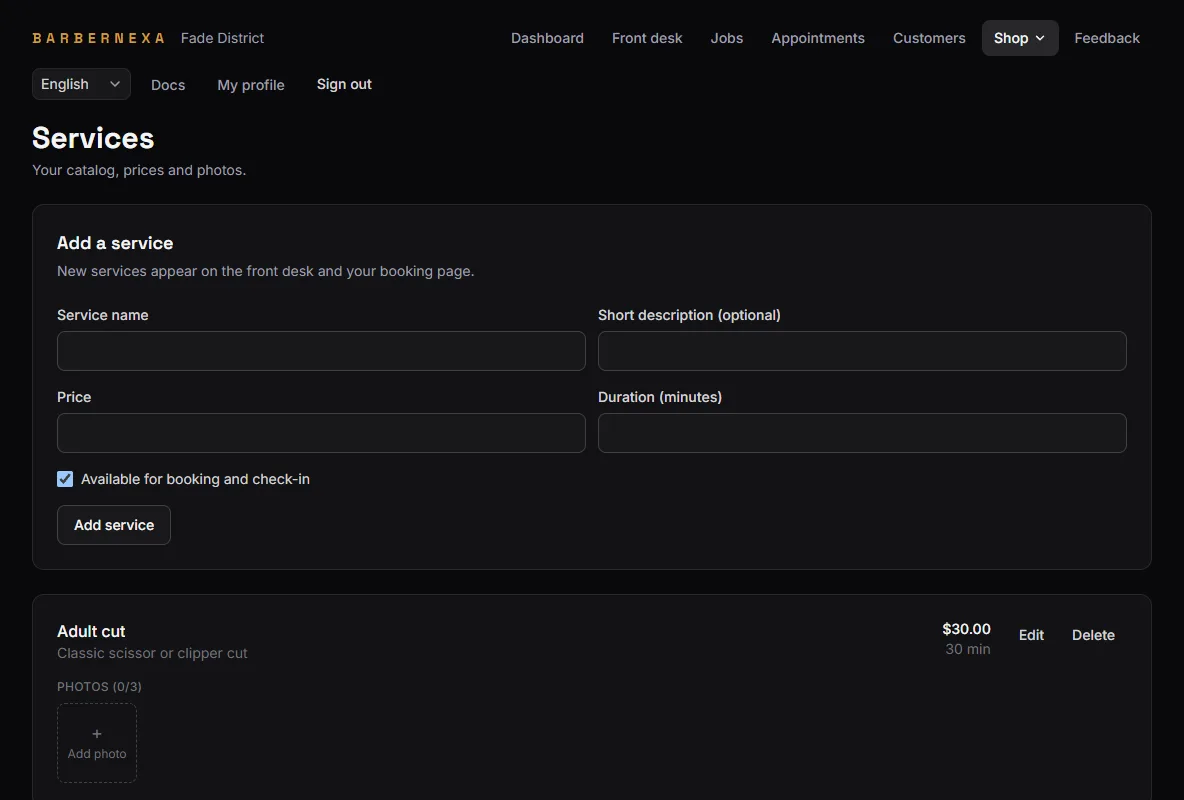
Name appears on the booking page, at the front desk, on the ticket and in your exports.
Price is a reference. It pre-fills the line when a service is added to a visit, and you can change that line freely. Charging 25 on one ticket does not change the catalog.
Duration is how your booking page works out free times. It is the field people underestimate and then wonder why they are running late all Saturday. Book it at what the service really takes, including the talking.
Description shows on the booking page under the service name. One line is plenty.
Photos show to customers as they choose. JPEG, PNG or WebP under 5 MB, up to three each.
Enabling and disabling
Available for booking and check-in controls whether a service can be used at all. Uncheck it and the service disappears from the booking page and the front desk.
Disabling is how you retire a service. It keeps every past visit intact — the ticket from March still says what it said, at the price you charged.
Disable rather than delete anything you have actually sold. A deleted service leaves its past visits readable (the name, price and duration were copied onto each line when it was performed), but it is gone from your catalog and cannot be brought back.
Why editing a price is safe
Every service line on a visit snapshots the name, the price charged and the duration at the moment it was added.
So raising your cut from 20 to 25 changes what the next visit is priced at, and nothing else. Last month's visits still say 20, your revenue for last month does not move, and your exports still reconcile.
This is also why a price override on one ticket never leaks into the catalog. The two directions are independent by design.
Where services show up next
- The front desk, as lines you can add to a visit.
- The booking page, for customers to choose.
- The dashboard, under Services performed, ranked by count and revenue.
- Exports, one row per service performed.
- Barbershop only: in each barber's assignment list, deciding who can perform what. See Barber availability and services.
A practical starting catalog
Start with the four or five things you actually sell most days, priced and timed honestly. Add the rare ones when somebody asks for one.
A catalog with thirty services is harder to book from than one with six, and every extra line is another thing to keep priced correctly.