Invite your team
Add barbers, managers and receptionists with their own accounts.
Shop → Staff. Owners and managers only, and it needs the Barbershop plan — on Studio the page shows an upgrade prompt instead, because Studio is a shop of one.
Sending an invitation
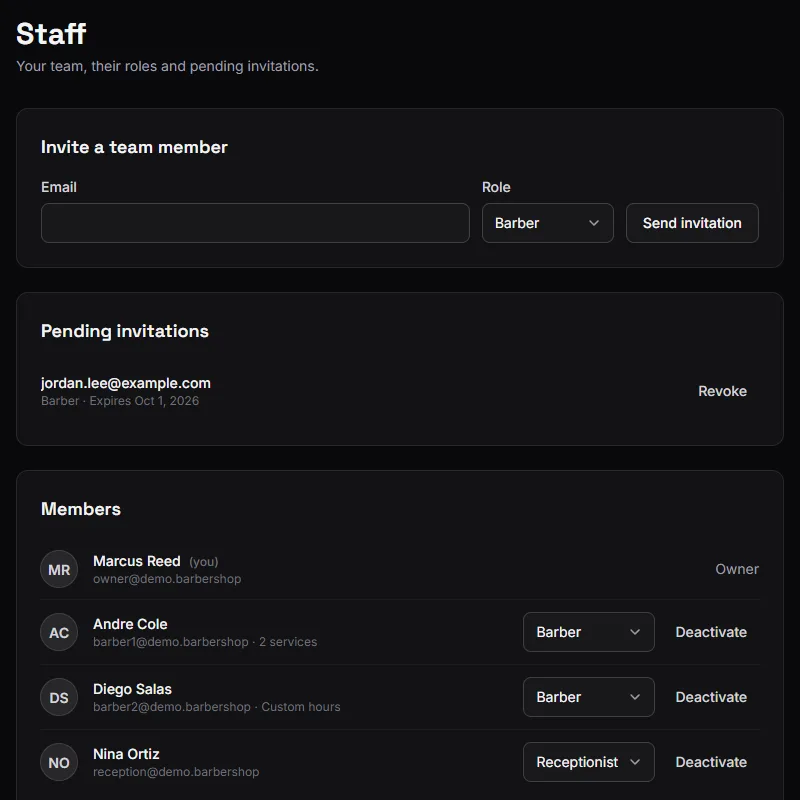
Enter the person's email, pick their role, and send.
They get an email with a Join button. What happens next depends on whether that address already has a BarberNexa account:
- No account yet — they enter their name and choose a password, and they are in: straight to your shop's dashboard. There is no separate confirmation email (the invitation already proves they own the address), no shop setup and no plan to pick.
- An account already — they sign in with its password on the same page, and the invitation is accepted in the same step.
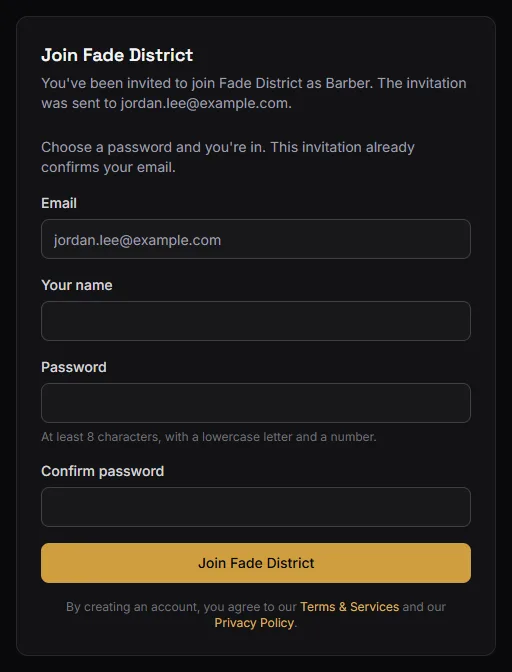
Either way the account uses the invited address — that is what ties the invitation to a person. If they open the link while signed in to a different account, the page offers to sign out and continue.
Invitations expire after 7 days. Pending ones are listed with their expiry date and a Revoke button if you sent one by mistake.
You cannot invite somebody who is already a member of the shop, and you cannot invite anybody as Owner. Ownership is created when the shop is created and does not move.
Deactivating a member
Deactivate on a member removes their access and takes them out of bookable capacity, while keeping every visit they worked.
That is the right way to handle somebody leaving. Their name stays on their past tickets, their revenue stays in your history, and last quarter's numbers do not change. Activate brings them back.
Two things you cannot do, both on purpose:
- You cannot change or deactivate the owner.
- You cannot change or deactivate yourself — so a manager cannot lock themselves out, or promote themselves.
Photos
Each member can set their own photo from My profile. A manager can set anyone else's from the staff page.
Photos matter on Barbershop: they are what customers see when choosing a barber on your booking page. Without one, the customer sees initials.
What happens if you downgrade to Studio
Every non-owner member is deactivated, not deleted. The team loses access, the shop keeps every record of their work, and your booking page falls back to one bookable person.
Upgrade again and everyone deactivated by the downgrade comes back automatically. Anyone you deactivated by hand stays deactivated — BarberNexa does not quietly re-hire the person you let go.
See Plans and pricing.
Setting a new barber up
After they accept, there are two more things worth doing — both optional, both on the member's page under Staff:
- Which services they perform. Leave everything unchecked and they perform all of them.
- Their weekly schedule. Leave it on shop hours unless they really work different ones.
Barber availability and services covers both, and why leaving them alone is often the right answer.