Customer records
Who ends up in your customer list, and why an email address is worth asking for.
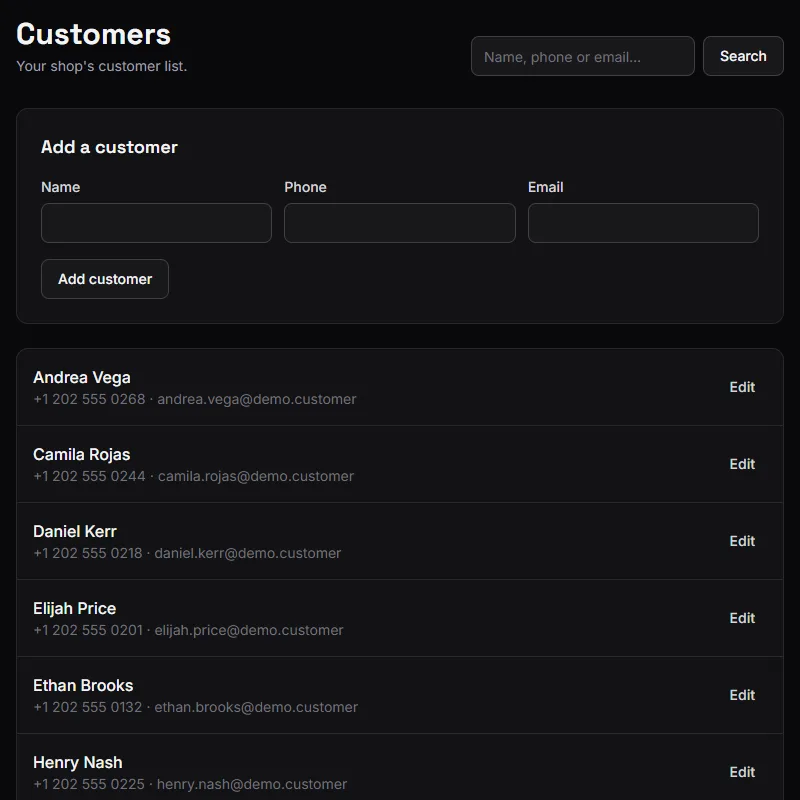
Customers is your shop's list of people. Search by name, phone or email, add someone by hand, or edit what you have.
Every role can see and edit it.
How people get into the list
Checked in as a new customer at the front desk — a name, and a phone if they gave one.
Booked online. The booking form asks for a name and a phone or an email, and creates the record.
Added by hand from this page, when you already know you will want them there.
A Walk-in at the front desk creates no record at all. The visit counts, the money counts, but there is nobody to look up afterwards.
No duplicates from online booking
When somebody books online, BarberNexa looks for an existing customer by email first, then phone.
A match reuses that customer and fills in whatever contact detail was missing — so a regular you only had a phone number for gains their email the first time they book online, without you doing anything.
No match creates a new record.
The match is on email or phone, not on name. Two "Carlos" with different numbers stay two people, which is right. The same person using a different number is two records, which is the cost of not asking for an email.
Why the email matters more than the phone
The phone is how you reach them. The email is what the app can act on:
- Booking confirmations go out by email.
- Rating requests only go to customers with an email. No email, no review — ever. See Ratings and reviews.
- Matching prefers email, so it is what keeps a regular from becoming three records.
If you are going to ask for one thing at the counter, ask for the email.
What you can and cannot do
You can add and edit customers — name, phone, email.
There is no delete. A customer is attached to their visits, and removing them would take a hole out of your history and your exports. Correct the record instead if it is wrong.
What a customer record is not
It is not an account. Customers never sign in, never have a password, and cannot see their own history or cancel their own bookings. The booking page works entirely without accounts, which is why anyone can use it in twenty seconds.
If a customer wants to change a booking, they call you, and you change it from the calendar.