Create your account
Register, confirm your email, and sign in for the first time.
Register
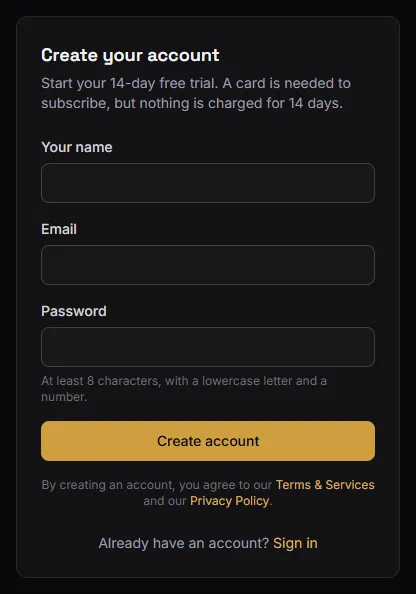
Go to Start free trial from the home page and enter your name, email and a password.
BarberNexa then emails you a confirmation link. You have to click it before you can sign in — the link proves the address is really yours, which matters because it is where password resets and billing notices will go.
If the email has not arrived after a minute, check the spam folder. You can ask for a new one from the sign-in page.
Sign in
Once your email is confirmed, sign in with the same address and password.
If you are creating a new shop, you land on the first onboarding step. Set up your shop picks up from there.
If you were invited to an existing shop
Somebody who already runs a shop on BarberNexa can invite you to it by email. That invitation link is what connects you to their shop — creating an account on your own does not.
Two cases:
- You do not have an account yet. Open the invitation link, enter your name and choose a password. That is all: you land on the shop's dashboard. There is no confirmation email to wait for — the invitation already proves the address is yours — and no shop to set up or plan to pay for.
- You already have an account. Open the link and sign in with your password on the same page; you join the shop in the same step. (If you registered once but never confirmed that account, this confirms it too.)
The account always uses the address the invitation was sent to. If you open the link while signed in as somebody else, the page offers Sign out and continue.
Invitations expire after 7 days. If yours has, ask the shop to send a new one.
Forgotten password
Use Forgot password on the sign-in page. You will get a reset link by email.
Resetting your password signs you out everywhere, on every device. That is deliberate: if somebody else had your password, the reset is what removes their access.
One account, several shops
An account is a person, not a shop. The same email can belong to more than one shop — your own and one you were invited to — with a different role in each.
When that is the case, a shop switcher appears in the top bar. See Language and switching shops.