Exporting your data
Every service you performed, as CSV or Excel, for any date range.
Jobs → Export. Pick a date range and a format, and the file downloads.
What you get
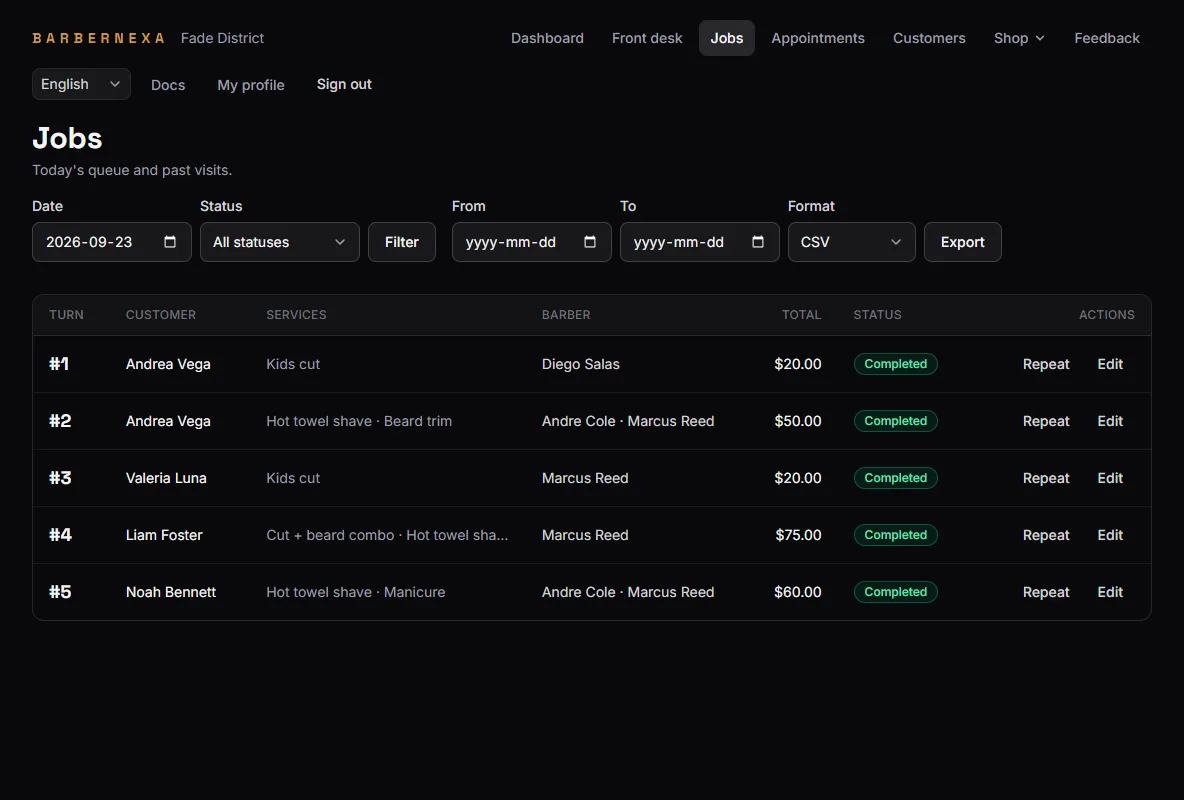
One row per service performed — not per visit. A customer who had a cut and a beard trim is two rows, which is what makes the file usable for anything per-service.
The columns:
| Column | What it holds |
|---|---|
| Date | The shop-local day of the visit |
| Turn # | The turn number, or empty for a visit never checked in |
| Customer | The customer's name, or empty for a walk-in |
| Service | The service name as it was when performed |
| Barber | Who did it, or empty if unassigned |
| Price charged | What this line actually cost |
| Reference price | Your catalog price at the time of export |
| Job status | Completed, canceled, checked in, and so on |
| Job id | A unique id, for joining rows from two exports |
Headers are always English, in every language. It is a data file — something downstream will parse those column names, and a header that changes with your interface language would break it.
It exports everything, not just completed work
Unlike the dashboard, the export applies no status filter. Canceled visits, tickets still checked in and completed work all come out together.
That is why Job status is a column: filter it yourself. If you want the dashboard's revenue figure, keep the rows where status is Completed and sum Price charged.
Price charged vs. reference price
Price charged is what that line was actually sold for, frozen at the moment it was performed.
Reference price is what your catalog says today. It is exported alongside so you can see where you discount and by how much — but it is a current value, so the same historical row will export with a different reference price after you change your prices.
For money, use Price charged. Always.
CSV or Excel
CSV for anything programmatic, or for importing elsewhere. It carries a UTF-8 byte-order mark so Excel opens accented names correctly instead of mangling them.
Excel (.xlsx) when a person is going to open it and work in it.
Both contain identical data. Files are named with the date they were generated.
What to use it for
- Accounting. Completed rows, summed by month.
- Paying commission. Group by Barber, sum Price charged.
- Finding your real prices. Compare Price charged against Reference price across a quarter.
- Keeping your own copy. It is your data, and exporting a full range occasionally is a reasonable habit.
What is not in it
Customer phone numbers and email addresses, ratings and reviews, appointment notes, and staff schedules. The export covers services performed and what they cost — the operational record, not everything the app holds.